
Trader Lifecycle
Understanding how traders progress from purchase to funded account
Trader Lifecycle
Every trader follows a predictable path through Propriotec. Understanding this flow is essential — it's how you'll think about your operations day-to-day.
The Complete Flow
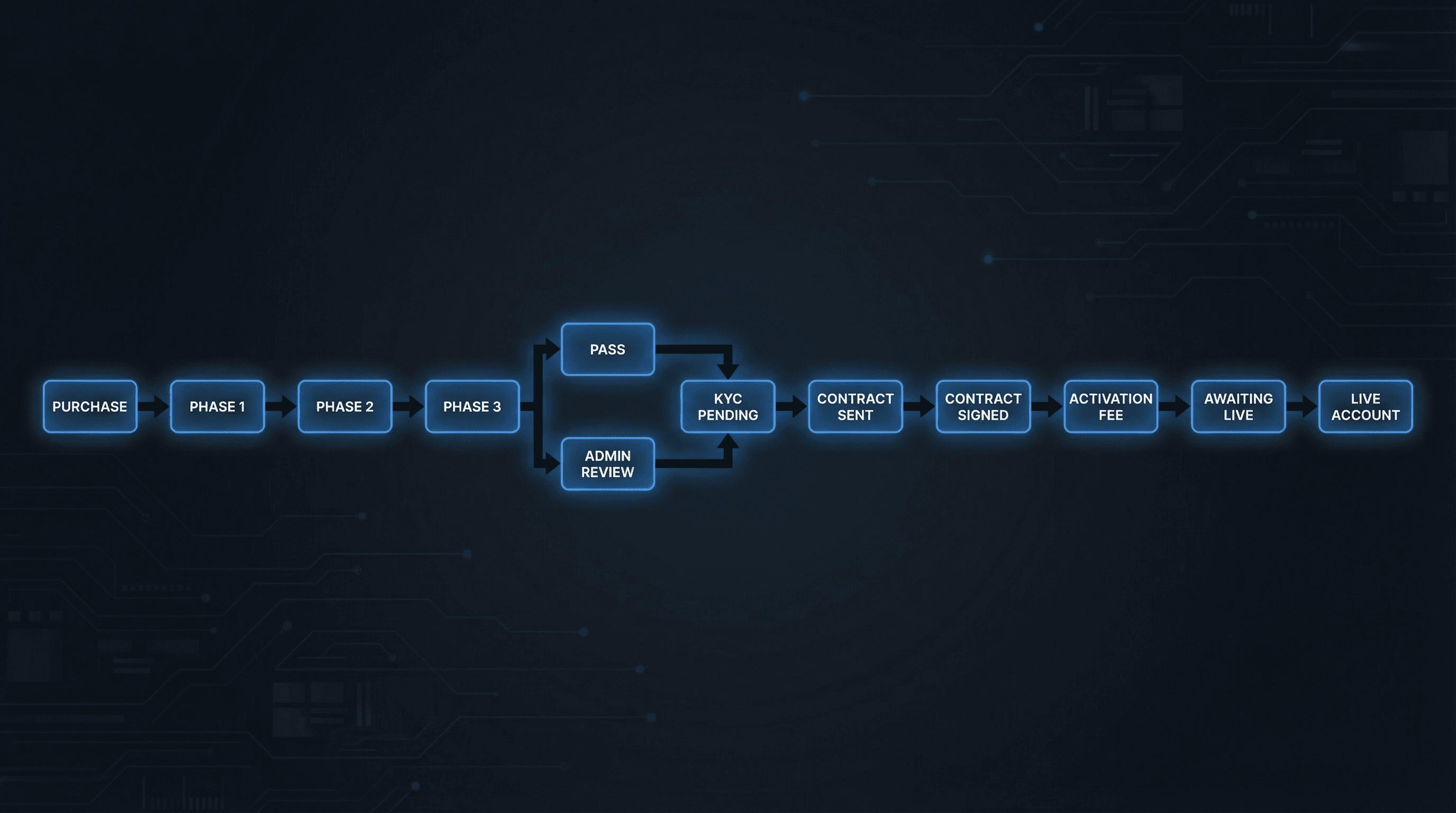
Here's the full journey:
Purchase
Customer buys a product on your website. An order is created, and the first phase account is automatically provisioned on your trading platform.
Phase 1 (Evaluation)
Trader attempts to hit profit targets while staying within rules.
Phase 2 (if 2-step or 3-step)
New account created when Phase 1 is passed. Each phase is a separate account with its own login.
Phase 3 (if 3-step)
Final evaluation phase before admin review.
Pass Evaluation → Admin Review
AI Review analyses trading for red flags. You decide to pass or fail.
KYC Pending
Trader submits identity documents for verification.
Contract Sent → Signed
Contract is sent and awaits trader signature.
Activation Fee (if applicable)
Some plans require a fee before receiving the live account.
Awaiting Live
Final checkpoint before live account creation.
Live Account Created
Trader is now trading on your capital with payout eligibility.
Stage by Stage
Where to Find Each Stage
All pending items appear on the Tasks page:
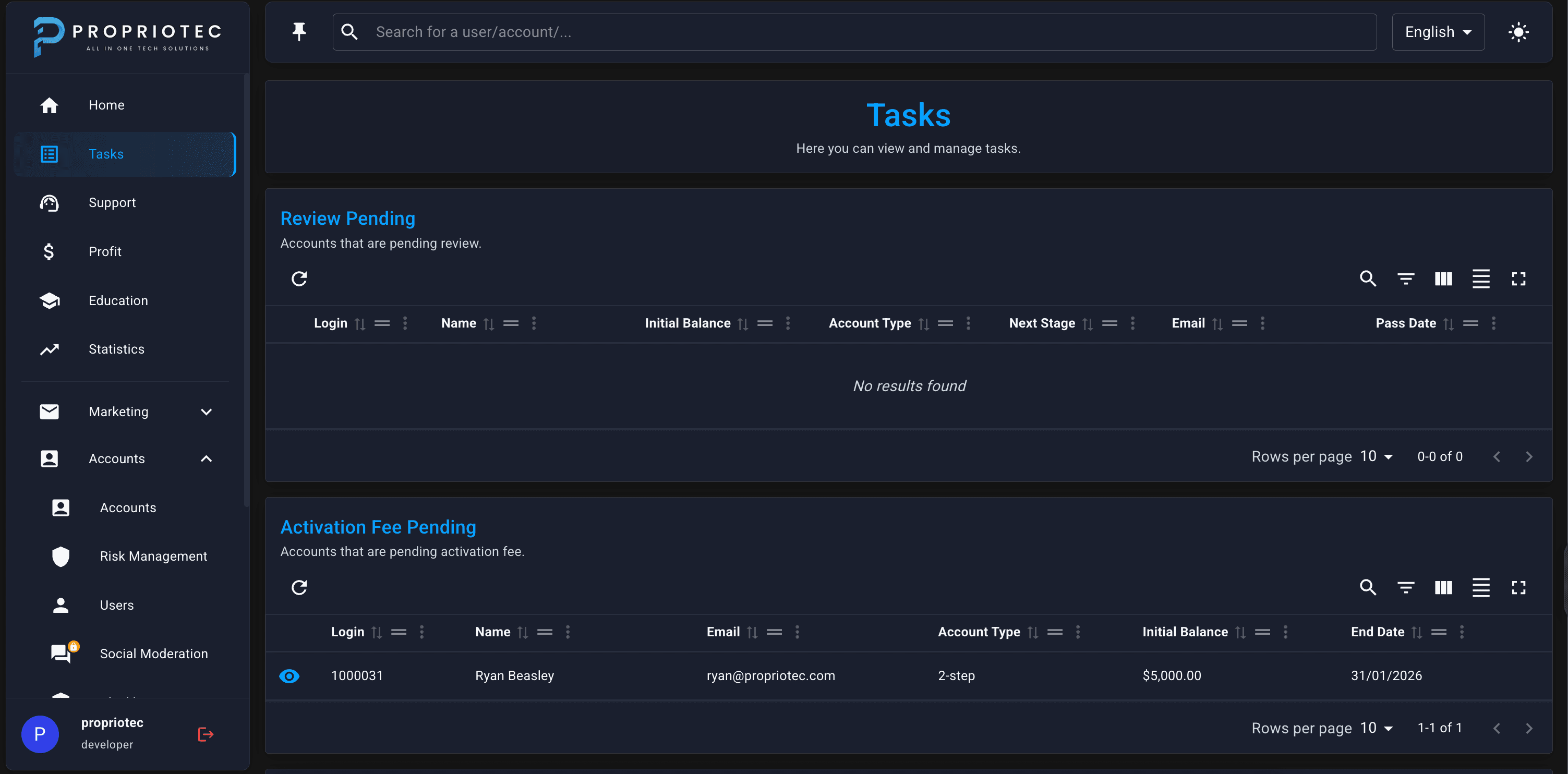
| Stage | Tasks Section |
|---|---|
| Passed evaluation | Review Pending |
| KYC needed | KYC Pending |
| Contract needed | Contract Pending / Contract Sent |
| Fee needed | Activation Fee Pending |
| Ready for live | Awaiting Live |
| Payout requested | Withdrawals |
Common Scenarios
Trader fails during evaluation
Account is breached and closed. They'd need to purchase again (unless you have Free Retry enabled on the plan).
Trader passes but fails review
You reject them at Admin Review stage. Provide a reason — they'll see it. The account doesn't proceed.
Trader abandons at KYC/Contract
It just sits there. You can follow up manually or let it expire based on your policies.
Trader disputes a breach
Check the Account Logs for exactly what happened and when. Use Trade History to see the specific trade that caused the breach.