
Compare Tool
Side-by-side account comparison for fraud investigation
Compare Tool
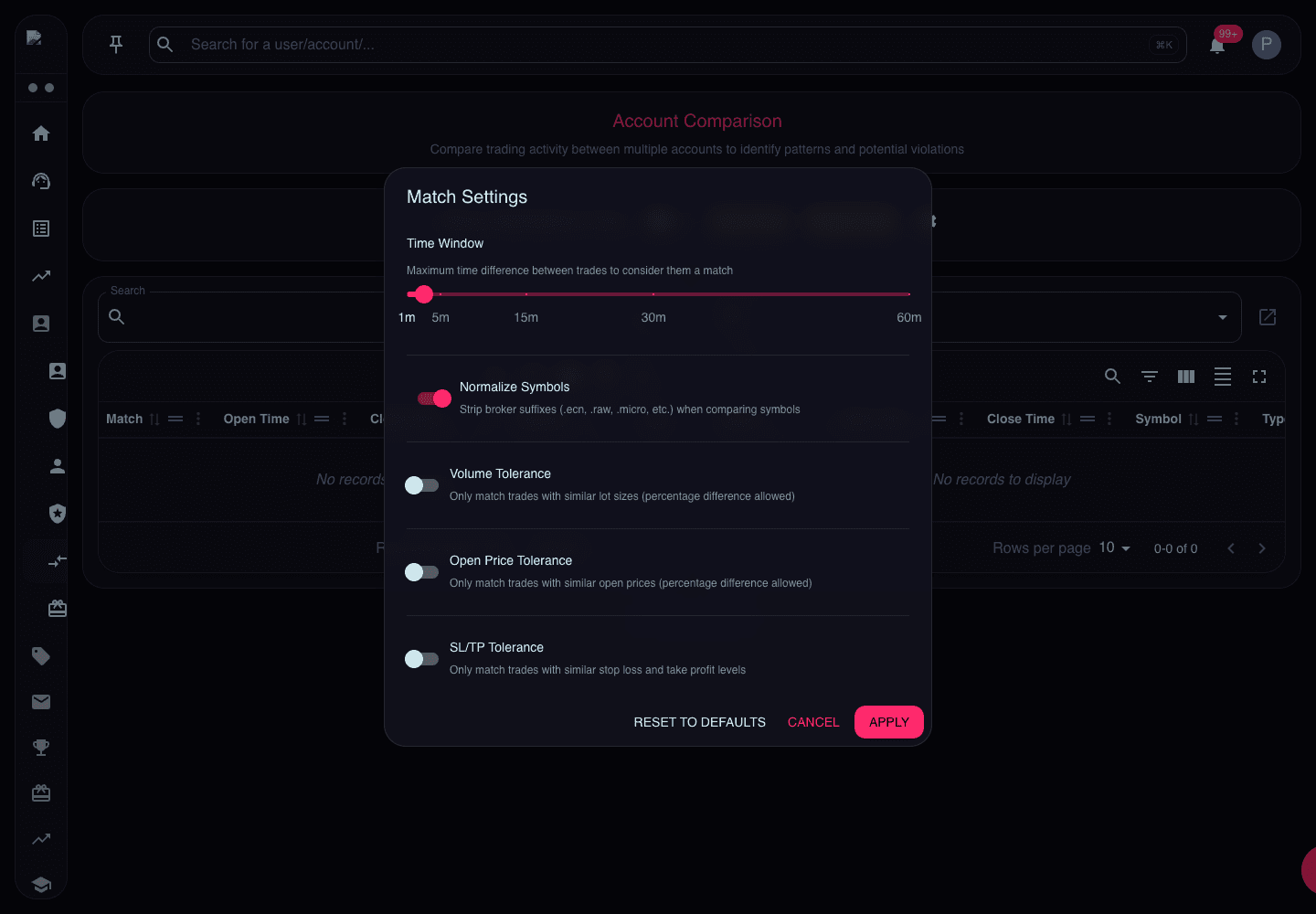
The Compare Tool is your investigation workbench. It puts two accounts side by side and highlights matching or opposite trades — essential for confirming copy trading or hedging suspicions.
When to Use It
Use the Compare Tool when:
- Risk Management flags accounts — verify the detection
- Duplicate IPs found — check if they're trading similarly
- Support receives reports — someone claims another trader copied them
- Manual suspicion — you notice patterns browsing accounts
How to Use It
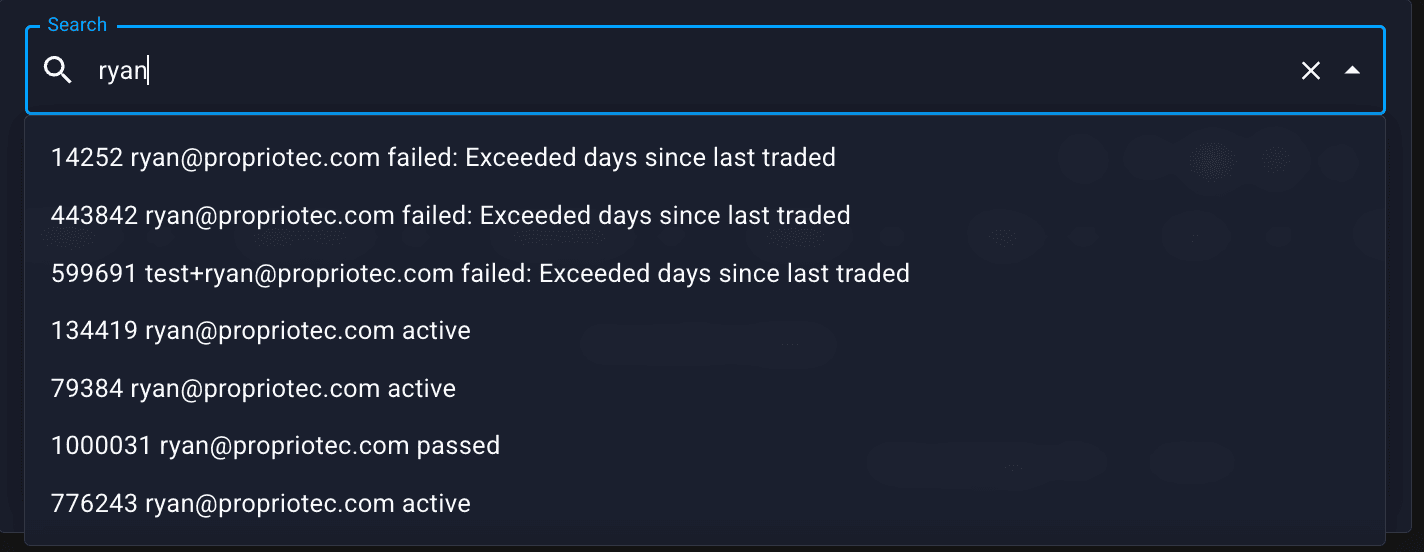
Enter Account Logins
Enter the login numbers for both accounts you want to compare:
- Account A: First account login
- Account B: Second account login
Click Compare (or equivalent button).
Review the Trade Lists
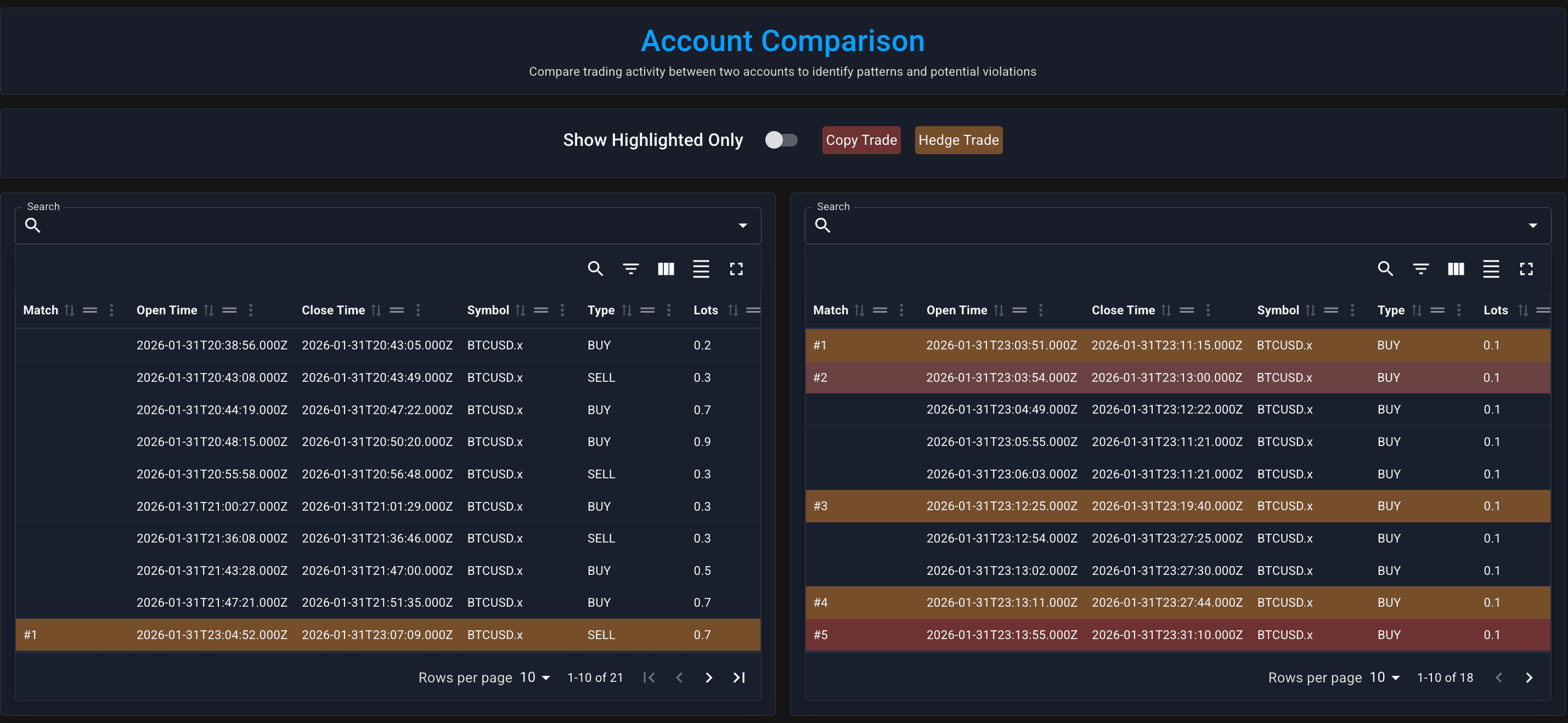
You'll see both accounts' trades displayed:
- Left side: Account A trades
- Right side: Account B trades
Click "Copy Trade"
This highlights trades that match between accounts:
- Same direction (both long or both short)
- Same or similar symbol
- Similar entry time and price
Matched trades will be highlighted (usually with colour or a marker).
Click "Hedge Trade"
This highlights trades that are opposite between accounts:
- One long, one short
- Same symbol
- Similar timing
Use "Show Highlighted Only"
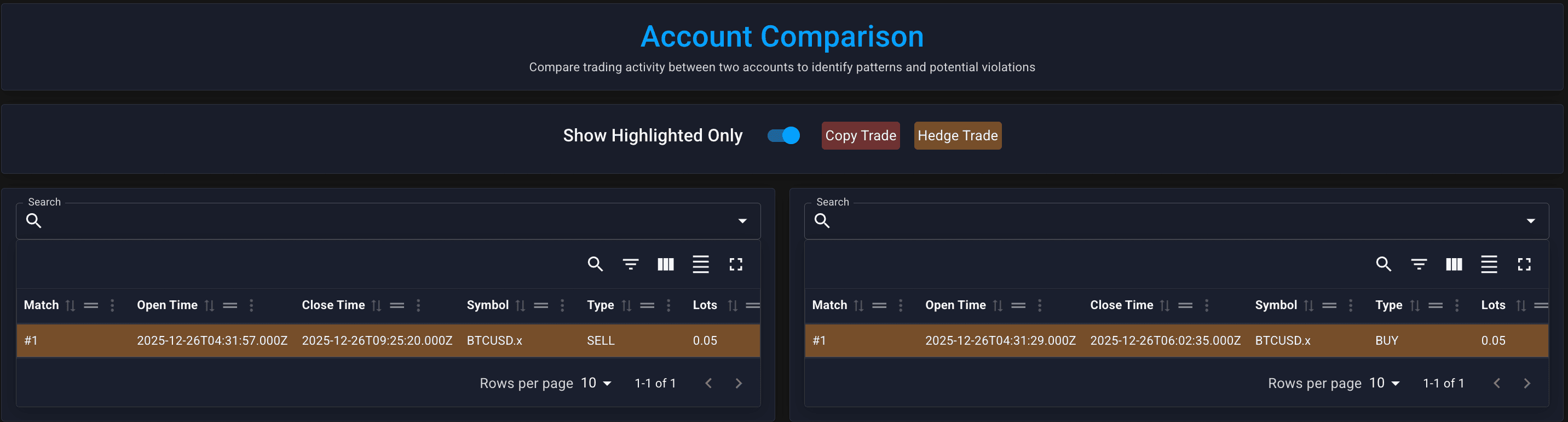
Toggle this to hide non-matching trades and focus on the suspicious ones.
Use this after reviewing the highlighted trades in the comparison table.
Review Match Numbers
Matched trades are linked with a Match Number — click to jump between corresponding trades.
Review the match numbers in the comparison table.
Reading the Results
Strong Copy Trading Evidence
- Many matched trades (10+)
- Precise timing (within seconds)
- Similar sizing (same or proportional lots)
- Consistent pattern (not one-off)
Strong Hedging Evidence
- Opposite positions on same symbols
- Similar timing (opened together)
- Similar sizing (balanced risk)
- Repeated pattern (multiple instances)
Weak Evidence (Might Be Coincidence)
- 2-3 matched trades only
- Popular symbols and obvious levels (EURUSD at round numbers)
- Different position sizes
- Different timing (hours apart)
Comparing More Than Two Accounts
The Compare Tool only compares pairs.
If you suspect a ring of 3+ accounts:
- Compare A vs B
- Compare A vs C
- Compare B vs C
Document matches from each comparison.
If you frequently need to compare multiple accounts, note this as feedback for Propriotec — multi-account comparison might be a future feature.
After Investigation
If Fraud Confirmed
- Document — screenshot the Compare Tool results
- Fail accounts — Manual Events → Rule Violation on each
- Consider blacklist — prevent future signups
- Check for more — are there other accounts connected?
If Inconclusive
- Note the accounts — keep a record
- Monitor — check again in a few days
- Look for other signals — IP, KYC docs, support interactions
If Legitimate
- Clear the flag — mentally or in your notes
- No action needed — but remember for future reference