
Risk Management Overview
Fraud detection and compliance monitoring in Propriotec
Risk Management Overview
The Risk Management section is your fraud detection centre. It monitors for suspicious activity that automated rules might not catch — copy trading, hedging schemes, account sharing, and more.
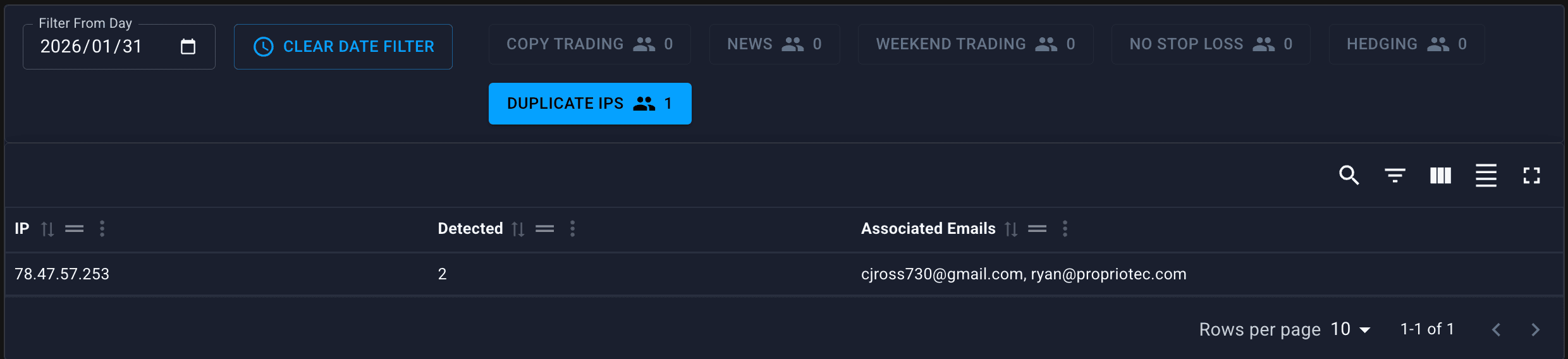
There's no automatic alert system. You need to check this page manually. Make it part of your daily routine.
Why This Matters
Prop firms are targets for fraud. Common schemes include:
- Copy trading rings — groups sharing signals to guarantee some accounts pass
- Hedging schemes — opposite positions across accounts for risk-free profit
- Account sharing — one skilled trader running multiple accounts
- Identity fraud — fake identities to create multiple accounts
Risk Management helps you catch these before you pay out.
Detection Tabs
Each tab monitors a different type of suspicious activity:

| Tab | What It Detects |
|---|---|
| Copy Trading | Matching trades across different accounts |
| News Trading | Trades around high-impact news events |
| Weekend Trading | Trades when markets are closed |
| No Stop Loss | Accounts trading without stop losses |
| Hedging | Cross-account opposite positions |
| Duplicate IPs | Multiple accounts from same IP address |
Quick Overview of Each
Daily Monitoring Routine
There's no alert system, so build this into your daily workflow:
Priority Checks (Daily)
- Duplicate IPs — Quick scan for new high-count IPs
- Copy Trading — Check for new flagged account pairs
- Hedging — Look for cross-account opposite positions
Secondary Checks (2-3x per week)
- No Stop Loss — Review accounts with risky behaviour
- News Trading — Only if your plans restrict it
- Weekend Trading — Only if your plans restrict it
Investigation Workflow
When you spot something suspicious:
Don't Act Immediately
Flags aren't automatic guilt. Investigate first.
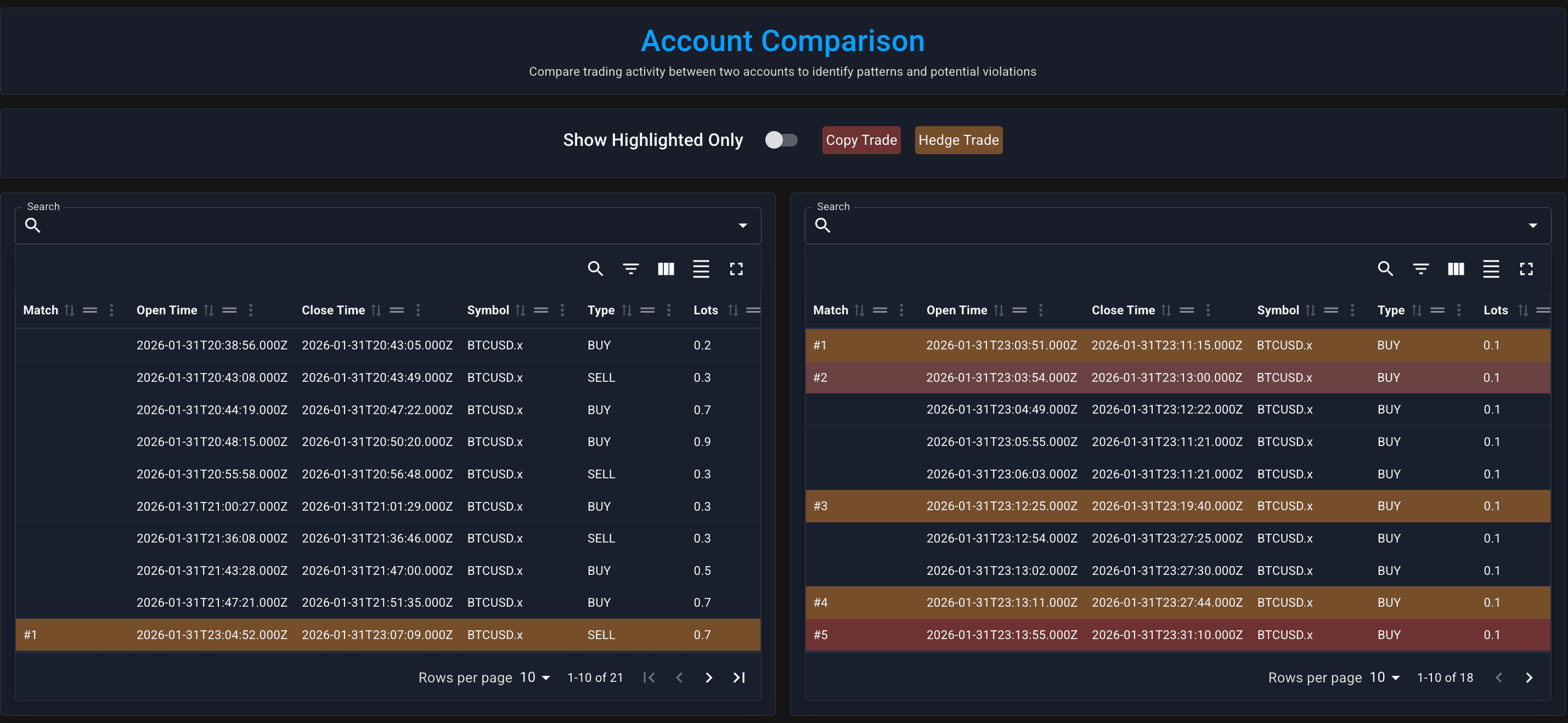
Use the Compare Tool
For copy trading or hedging suspicions:
- Enter both account logins in the Compare Tool
- Click "Copy Trade" to highlight matching trades
- Click "Hedge Trade" to highlight opposite positions
Document Your Findings
Before taking action:
- Note which accounts are involved
- Screenshot the evidence
- Record your reasoning
Take Action
If you confirm fraud:
- Go to Account View for each involved account
- Use Manual Events → Rule Violation
- Provide a clear reason (the trader will see this)
Limitations to Know
| Limitation | Workaround |
|---|---|
| No alerts | Check manually daily |
| No drill-down from IP | Search each email manually |
| Pairs only (not 3+ accounts) | Run multiple Compare Tool checks |
| Thresholds set by Propriotec | Contact support to adjust |
Related Pages
- Copy Trading Detection
- Hedging Detection
- Duplicate IPs
- Compare Tool
- Manual Events — how to trigger rule violations