
Accounts
AI Account Review
Using AI to analyse trader behaviour for risk assessment
AI Account Review
The AI Account Review analyses a trader's behaviour and generates a comprehensive assessment — helping you decide whether to approve or reject them at the Review Pending stage.

When to Use It
Use AI Review when an account is in Review Pending (passed evaluation, awaiting your approval).
The AI helps you:
- Spot patterns you might miss
- Get a structured assessment quickly
- Have documented reasoning for decisions
How to Generate a Review
- Open the Account View for an account in Review Pending
- Scroll to the Task Actions section
- Click "Generate AI Review"
- Wait for the analysis (may take a few seconds)
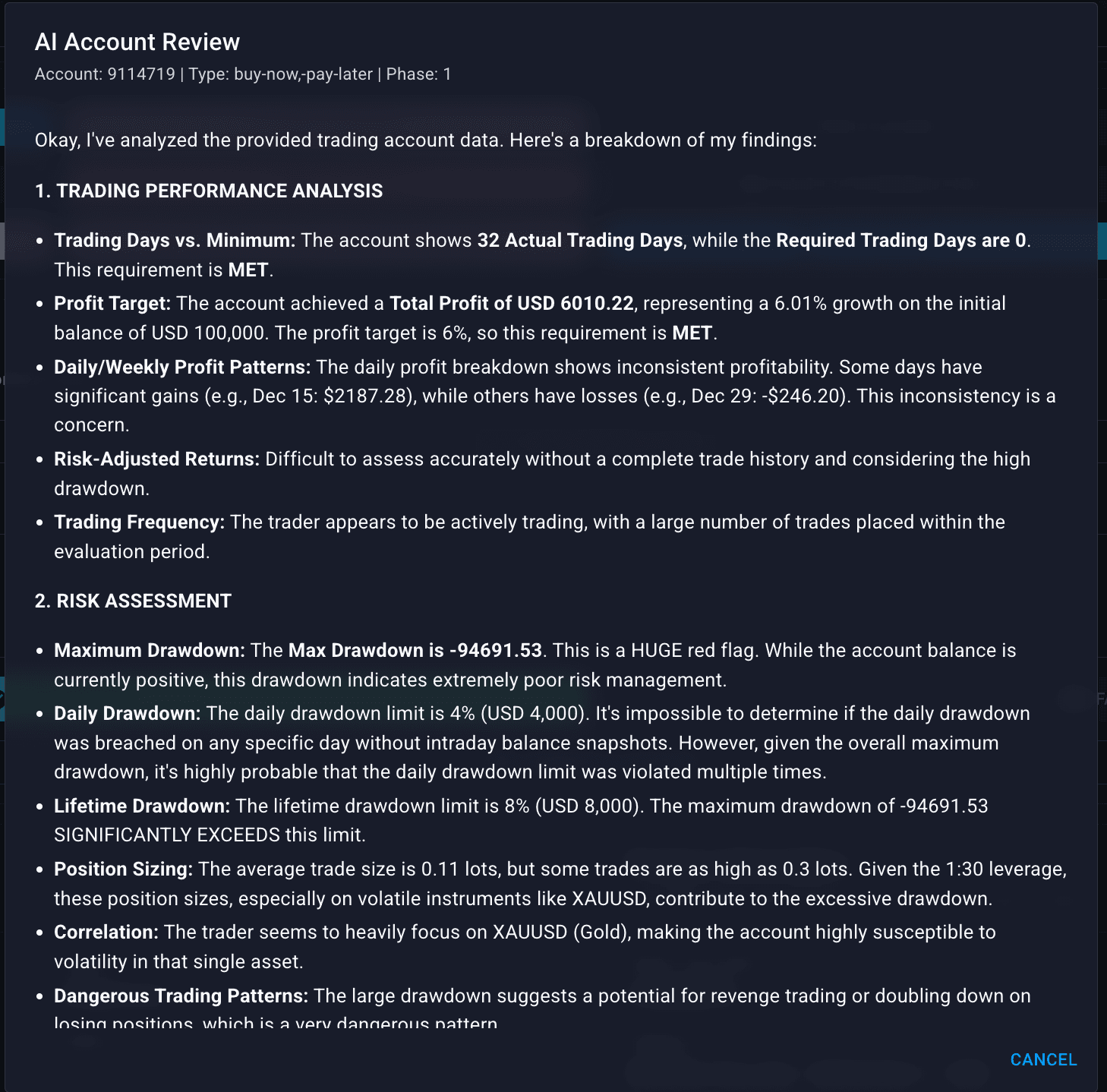
What the AI Analyses
The review covers six main areas:
Making Your Decision
After reviewing the AI output:

Pass Review
Click Pass Review if:
- No significant red flags
- Trading behaviour looks legitimate
- Strategy is consistent and sensible
- No fraud indicators
The trader proceeds to KYC.

Fail Review
Click Fail Review if:
- Clear fraud indicators
- Copy trading detected
- Gambling behaviour / no real strategy
- Risk assessment shows dangerous patterns
Important: Provide a clear reason in the Review Reason field. The trader will see this.
Review Reason Best Practices
When failing, be clear but professional:
Good reasons:
- "Trading pattern analysis indicates copy trading behaviour"
- "Risk assessment shows unsustainable position sizing"
- "Strategy analysis indicates gambling rather than systematic trading"
Avoid:
- Vague: "Suspicious activity"
- Accusatory: "You cheated"
- Too technical: "Sharpe ratio of 0.3 with kurtosis..."
AI Review Limitations
The AI is a tool, not a decision-maker. Keep in mind:
Always combine AI Review with:
- Your own judgement
- Risk Management tab checks
- Trade history review
- Compare Tool if suspicious
Workflow Summary
Account enters Review Pending
         ↓
Click "Generate AI Review"
         ↓
Read all 6 sections
         ↓
Any red flags? ─── Yes ──→ Investigate further
         │                 (Compare Tool, Risk Management)
         No                        │
         ↓                         ↓
Pass Review             Confirm fraud? ─── Yes ──→ Fail Review
                                   │
                                   No
                                   ↓
                        Pass Review (note concerns)