
Tracker Cards
Understanding the rule progress cards on Account View
Tracker Cards
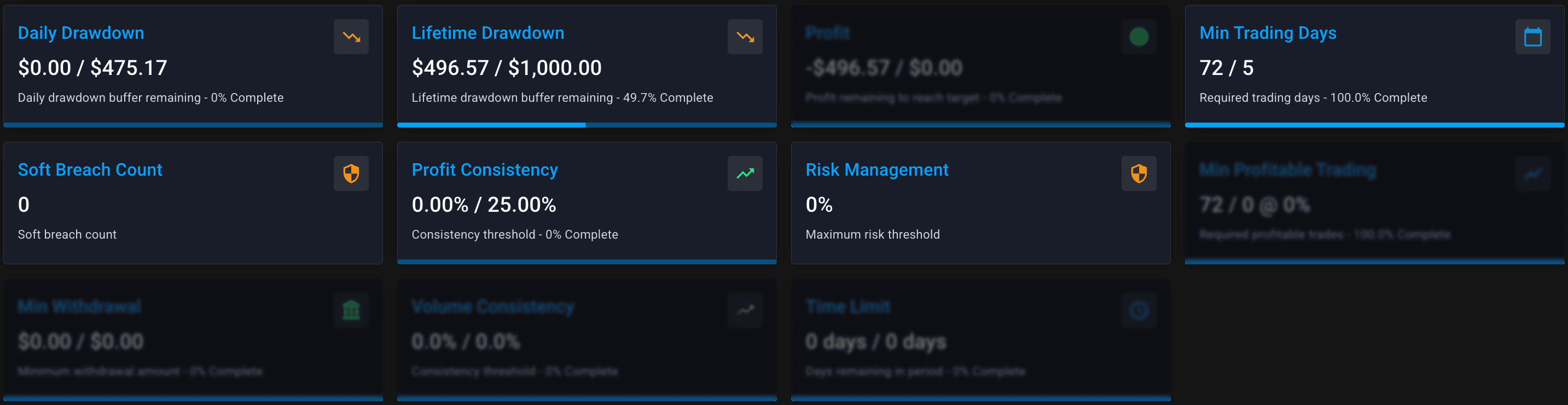
On every Account View page, you'll find tracker cards showing the trader's progress against their plan rules. These are your at-a-glance status indicators.
Anatomy of a Card
Each tracker card shows:
| Element | What It Shows |
|---|---|
| Title | The rule being tracked |
| Current Value | Where they are now |
| Target/Limit | What they need to hit or stay within |
| Progress Bar | Visual indicator of progress |
| Status Colour | Green (good), Red (danger), Grey (disabled) |
Card Types Explained
Card States
Green / Active
Rule is enabled and trader is on track:
- Drawdown: Buffer remaining
- Profit: Making progress
- Days: Counting up
Red / Warning
Trader is at risk:
- Drawdown: Low buffer, close to breach
- Profit: Far from target with time running out
- Soft breaches: Near the hard breach limit
Quick Assessment Checklist
When reviewing an account, check cards in this order:
Daily Drawdown
Are they at risk of breaching today?
Lifetime Drawdown
How much overall buffer remains?
Profit Target
How close to passing?
Min Trading Days
Even if profitable, can they pass yet?
Soft Breach Count
Any rule violations accumulating?
Ready to Pass?
✅ Profit target met
✅ Min trading days met
✅ No active soft breach issues
✅ All other rules satisfied
At Risk?
⚠️ Low daily drawdown ⚠️ Low lifetime drawdown ⚠️ High soft breach count ⚠️ Time limit approaching
Tracker Cards vs. Tracker Chart
Don't confuse these:
- Tracker Cards = Current status against rules (this page)
- Tracker Chart = Historical graph of balance/equity over time
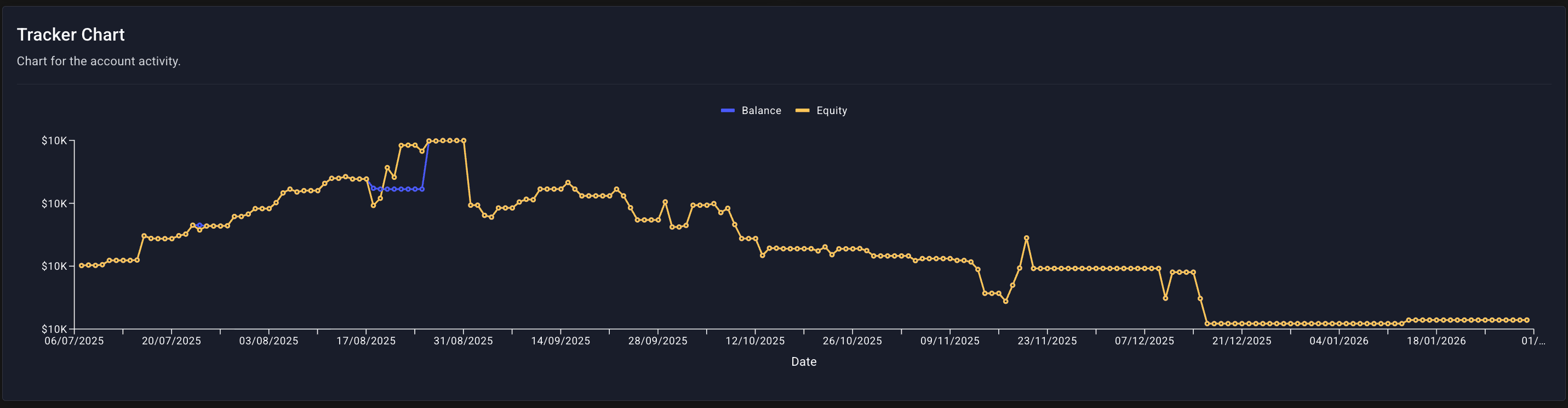
The chart shows trends. The cards show current position against rules.